

Instagram Reels are now on TV, here’s how you can watch
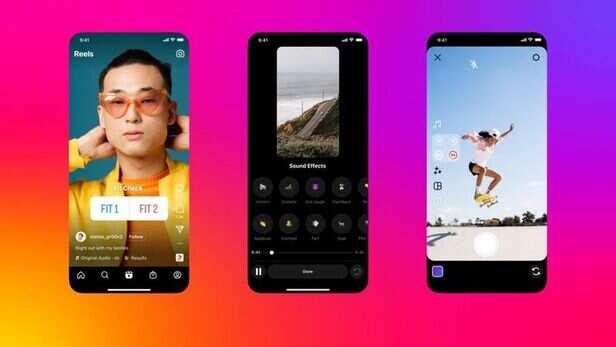

( Image credit : Instagram | This brand-new feature lets you stream your favourite Reels directly onto a big screen, so your nightly doomscrolling routine is about to level up dramatically. )
The update is rolling out this week, and fans are already calling it the beginning of “CouchTok energy”. If your attention span was fragile before, prepare for chaos.
Instagram Reels go oversized
The update is part of Instagram’s mission to turn Reels into a shared viewing experience, instead of one person silently scrolling in the corner, the platform wants everyone on the sofa, bingeing videos together like a chaotic family movie night. Meta described the feature as a new way to enjoy content from favourite creators on a bigger screen, hinting that the shared viewing element is supposed to make Reels “more enjoyable”. Translation: grab snacks, pass the remote, prepare for sensory overload.
( Image credit : Freepik | The update is rolling out this week, and fans are already calling it the beginning of “CouchTok energy”. If your attention span was fragile before, prepare for chaos. )
Here is how to watch Instagram reels on TV
Right now, the feature is only available through Amazon Fire TV Stick, so you will need one plugged in before anything magical happens. Once that is sorted, here is the exact step-by-step:
• Download the Instagram app onto your Amazon Fire TV Stick
• Sign in to your Instagram account, or up to five accounts if your household is chaotic enough
• Choose from interest-led channels like sports highlights, new music, travel edits or whatever weird niche your algorithm loves
• Click a channel and let the Reels autoplay continuously, totally hands-free
There is even a brand-new option to create a separate “Instagram for TV” account that is not linked to your existing profile, which feels ideal for nosy teenagers or confused grandparents.
( Image credit : Freepik | The update is part of Instagram’s mission to turn Reels into a shared viewing experience, instead of one person silently scrolling in the corner, the platform wants everyone on the sofa, bingeing videos together like a chaotic family movie night. )
Not seeing the app? Here is why
Before you panic and throw the remote, breathe. If the Instagram app does not appear in your Fire Stick app store, it is almost definitely not your fault, the service is currently only available in the United States. Meta says global expansion is coming, along with upgrades like phone-as-remote browsing, smoother channel surfing, shared feeds with friends and easier ways to keep up with creators in one place. Basically, the TV app we have now is just the tease.
The bottom line: Instagram Reels have officially gone cinematic. This is either the future of entertainment, or the end of productivity as we know it.